Widgets
Show your Google rating on your own site
Visitors can see the total you already earned, and the widget does not change your rank.
Widgets are a badge, a carousel, a list, and a floating badge. Spotlight and wall widgets are not available. Starter always shows the Powered by TrustMetrics line. Growth and Scale can hide that line, and Google attribution stays.
Put the proof where people already are
People on your website cannot see the Google rating without leaving the page. Putting that total on the page, with a visible Google line, shows where it came from.
Steps
How it works
01
Pick a layout
Choose a badge, a carousel, a list, or a floating badge for that location.
02
Paste the snippet
The snippet is for one location you have already connected in the inbox.
03
Leave the Google line
Google attribution stays on the widget even if you hide Powered by TrustMetrics.
04
Add a signature badge
Every plan includes an email signature badge, including the free plan. The rating shows after 3 Google reviews. Before that, a placeholder. Free and Starter always show TrustMetrics branding. Growth and Scale can hide it.
The app
See the real app
This screen is from the app, with sample data.
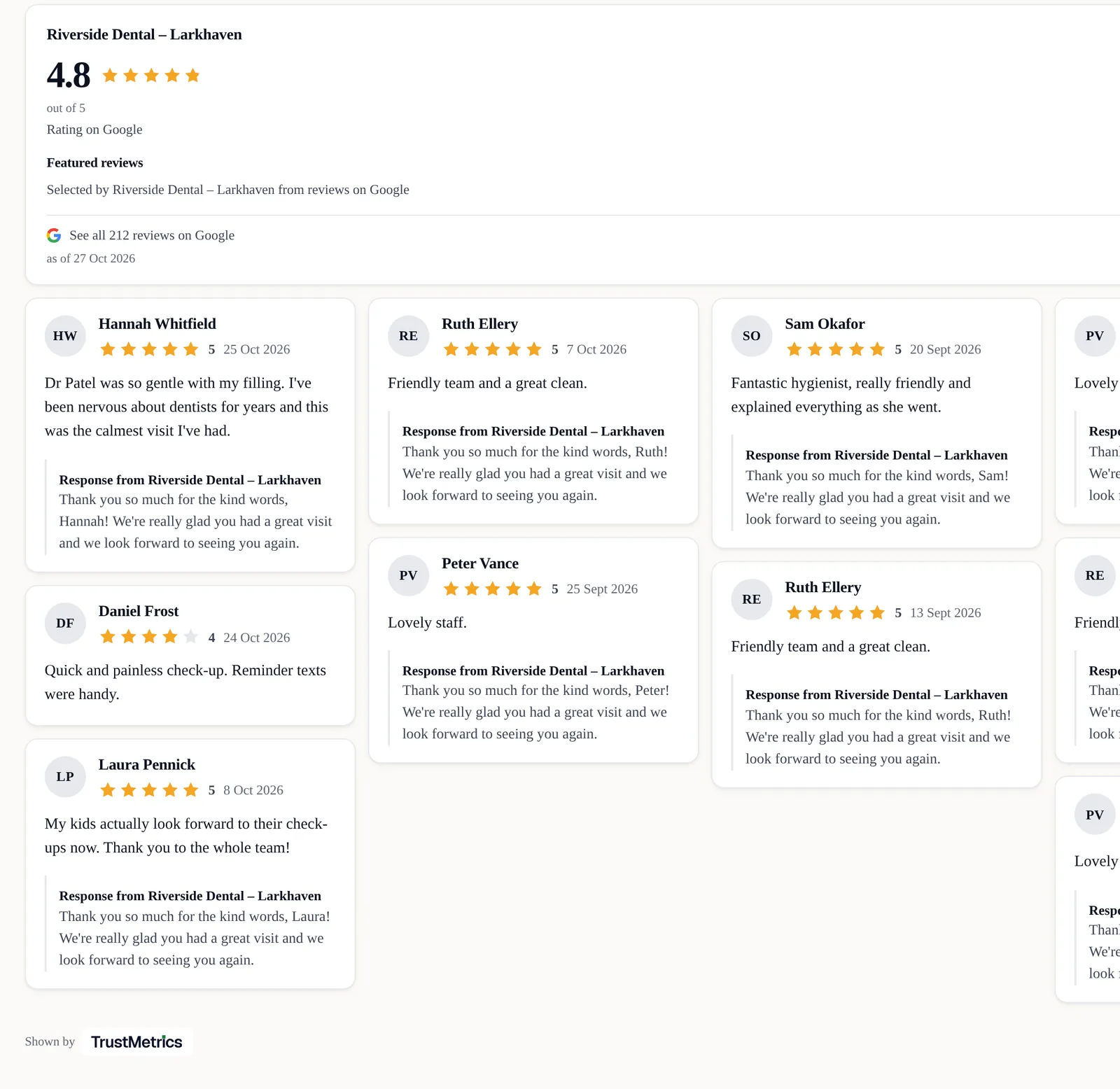
Widgets
Four layouts
- Badge, carousel, list, and floating badge.
- Spotlight and wall are not available.
Billing
No surprises on billing
- Prices are in US dollars and exclude tax. A UK company pays UK VAT on top.
- We don't offer refunds. You can cancel any time from Billing. You keep access until the end of the period you've paid for.
- Cancel before the 14-day Starter trial ends and you won't be charged.
- Starter includes 3 locations and 3 seats.
- Only Starter has a 14-day trial. A card is required. One trial per customer.
- About 3 days before the first charge, we send an email. It shows the plan, the amount, and the date. It also has a link to manage or cancel.
- Annual billing charges for 10 months. That is 2 months free.
- You can cancel any time from Billing.
- Billing opens the Stripe customer portal.
- Cancel takes effect at the end of the paid period.
- You keep access until then, and you can undo the cancel before then.
- Nothing is deleted.
- There is no contract and no minimum term.
- We do not gate reviews.
Answers before you pay
Will this help my SEO?
Is this allowed by Google?
Do I need to be technical?
Start collecting reviews on Starter
The 14-day trial is only on Starter, and a card is required. One trial is allowed per customer.